Security Cameras
Best Wireless Security Cameras for Apartments: A Renter's No-Drill Guide

The RenterSmartHome Research Team, Research desk
Reviews analyzed 30,539 · 0 sources
As an Amazon Associate we earn from qualifying purchases. Affiliate disclosure
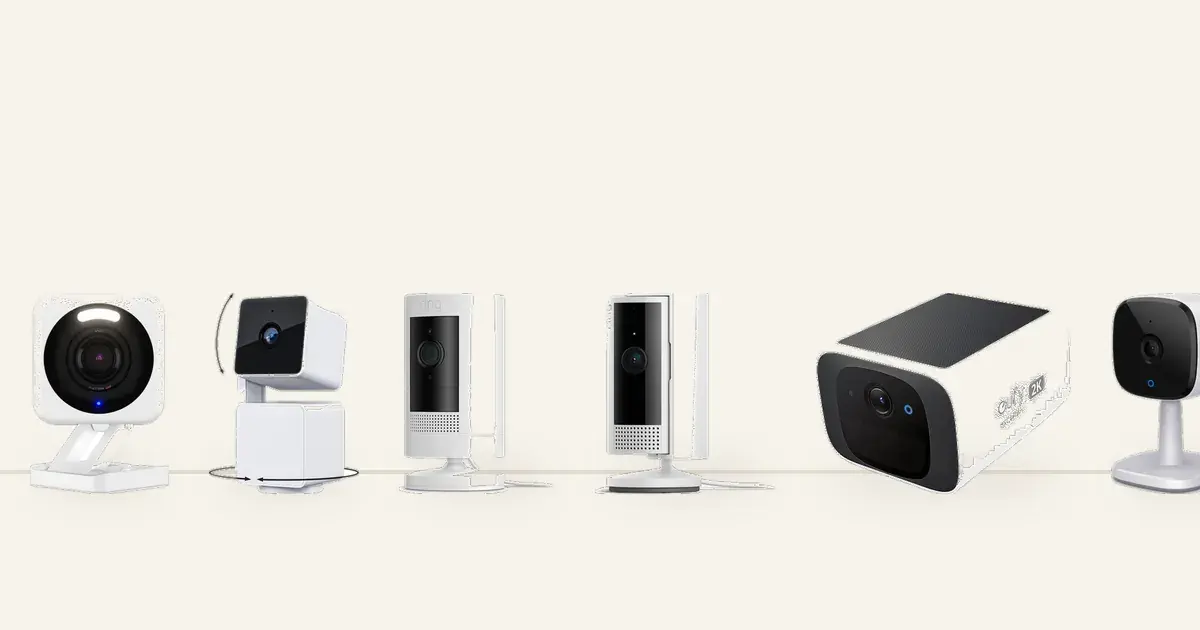
As an Amazon Associate, we earn from qualifying purchases made through links on this page. It costs you nothing extra and keeps our renter-first testing honest.
Your apartment got broken into last month, or maybe a package vanished from the hallway again, or the new puppy is home alone and you want to check in. You want a wireless security camera for your apartment, but your lease says no drilling, no wiring changes, and the deposit is real money. This guide solves that exact problem. Every camera below installs with zero drilling and zero wiring changes, and every one moves with you when the lease ends. We also did the math nobody else does: the true first-year cost of each camera, because a $40 camera that needs a $10 monthly plan is not a $40 camera.
Quick Answer: Which Wireless Camera Should Renters Buy?
If you want the short version: the TP-Link Tapo C120 is the best budget pick at around $40 with free local recording and a magnetic base that sticks to metal with zero damage. The TP-Link Tapo C210 is the best all-rounder for indoor monitoring with pan and tilt covering a whole room from one shelf. Google Home households should get the Nest Cam with its magnetic mount and battery, while renters in shared apartments should look at the Arlo Essential Indoor with its physical privacy shield. The Reolink Argus 3 Pro is the pick for a balcony or entryway with no outlet nearby, and the Blink Mini 2 is the simplest starter for Alexa homes if you accept its subscription. Read on for the full comparison, the subscription math, and the legal lines you need to know before you hit record.
Who Is This Guide For?
This guide is for renters who need eyes on their apartment without touching the walls or the wiring. If your lease bans drilling, you share walls and Wi-Fi with neighbors, and you will move in a year or two, every pick here installs in minutes and leaves no trace.
That includes first-time renters securing a ground-floor unit, roommates who want a camera everyone trusts, pet owners checking in during the workday, and anyone watching a hallway or balcony for package theft. If you own your home and can drill, run cable, and mount under eaves, homeowner guides with PoE systems will serve you better. And if you want a doorbell specifically, our no-drill video doorbell guide covers entryway options that need no wiring.
How We Picked These Six Cameras
We weighed 30,539 Amazon buyer ratings across the six cameras here, then read the top-rated and most critical 1-star reviews for each, and cross-checked them against manufacturer spec pages and independent reviews from TechGearLab, SlashGear, SafeWise, TopTenReviews, and others. We did not lab-test these units, so every claim below is attributed to buyer reviews, published reviewers, or manufacturer spec sheets.
Every pick passed five gates: no drilling to install, no wiring changes, at least 100 buyer reviews, a 4.0-star rating or better, and a renter-specific reason to exist. Six popular models were cut: Wyze, Ring, and eufy indoor cameras are covered in our Wyze vs Ring vs eufy comparison so we cross-link them instead of repeating them, the Eufy SoloCam S220 needs a drilled mounting hole, and ZOSI PoE cameras need ethernet cable runs.
Prices below are what we saw in October 2026. A few ratings come from Amazon UK or Canada mirrors where the US listing render was unavailable, flagged clearly.
The Six Cameras Compared
Camera | Power | Recording cost | Rating | True first-year cost* |
|---|---|---|---|---|
TP-Link Tapo C120 | Plug-in | $0 (microSD) | 4.4 stars, ~5,160 ratings | ~$40 |
TP-Link Tapo C210 | Plug-in | $0 (microSD) | 4.6 stars, 19,003 ratings | ~$65 |
Reolink Argus 3 Pro | Battery | $0 (microSD) | 4.2 stars, 223 ratings | ~$119 |
Blink Mini 2 | Plug-in | $60/yr (or $180/yr unlimited) | 4.4 stars, ~2,274 ratings | ~$115 |
Google Nest Cam (battery) | Battery | $0 basic / $96/yr Nest Aware | ~4.2 stars, ~3,690 ratings | ~$180 to ~$276 |
Arlo Essential Indoor 2nd Gen | Plug-in | ~$120/yr Arlo Secure | 4.4 stars, 189 ratings | ~$120 plus hardware |
*True first-year cost = hardware price we saw + one year of the subscription required to actually record. Recording is the point of a security camera, so a camera that cannot record without a plan is priced with its plan.
How we picked
We weighed 30,539 Amazon buyer ratings across six cameras, read the top-rated and most critical 1-star reviews for each, and cross-checked manufacturer spec pages and independent reviews.
Detailed Reviews
Award: Best Budget Pick for Renters
TP-Link Tapo C120 Indoor/Outdoor Security Camera, 2K QHD
4.4 stars (~5,160 ratings) | Key spec: 2K QHD with color night vision, magnetic base for tool-free placement, free AI detection and local microSD recording with no subscription.
Price: around $40 (as seen Oct 2026)
TP-Link Tapo C120: Best Budget Pick for Renters
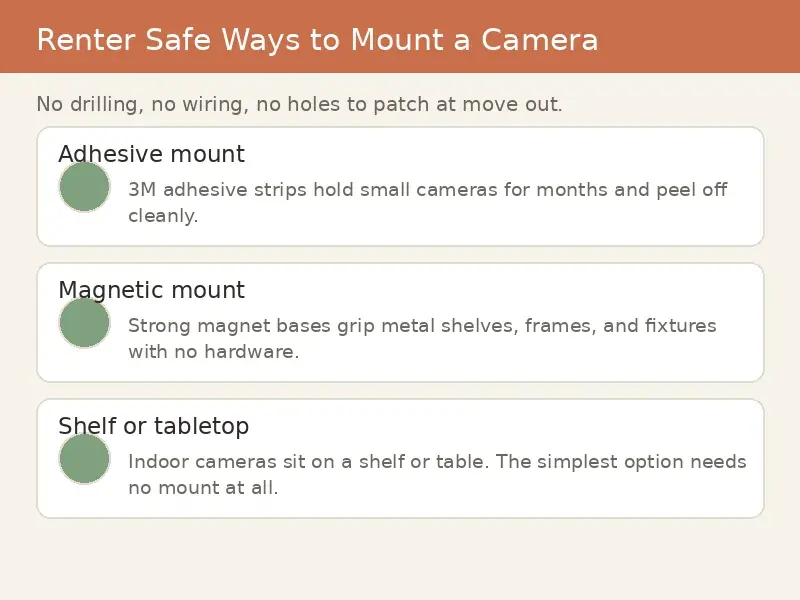
The TP-Link Tapo C120 is the camera we would hand to a renter who wants the most protection per dollar. It lists around $40, records in 2K QHD with color night vision, and its magnetic base sticks to any metal surface: a fridge, a metal door frame, a filing cabinet. Zero screws, zero adhesive, zero damage, and you can reposition it in seconds. It stores footage locally on a microSD card up to 512GB with no subscription, and its person, pet, and vehicle detection runs free.
Buyer sentiment is strong for the price. Reviewers praise the image quality at this price point and the genuinely free smart detection, and the camera earned a 2024 PCMag Editor's Choice nod. The honest negatives: it is corded, so placement follows your outlets, the microSD card is not included, and the app pushes Tapo Care upsells. The 9.8-foot power cord helps with the outlet problem in most rooms.
One caution on the numbers: the 4.4-star rating and ~5,160 review count come from mirrors of the Amazon US listing, so re-check them on the live page. And do not confuse this with the eufy IndoorCam C120, a different product from a different brand covered in our camera comparison.
Check the current price on Amazon
Award: Best All-Rounder for Indoor Monitoring
TP-Link Tapo C210 Pan/Tilt Security Camera, 2K 3MP
4.6 stars (19,003 ratings) | Key spec: 360-degree pan and 114-degree tilt covers a whole room from one shelf; free person, motion, and baby-cry detection; local microSD storage, no subscription.
Price: around $65 list (as seen Oct 2026)
TP-Link Tapo C210: Best All-Rounder for Indoor Monitoring
The TP-Link Tapo C210 is the strongest review record in this lineup: 4.6 stars from 19,003 ratings on amazon.com. It is a pan and tilt camera, so one unit on a shelf covers a full 360 degrees horizontally and 114 degrees vertically: a living room, a nursery, or a home office from a single spot with no mounting at all. Video is 2K, and it includes free person detection, motion detection, activity zones, and even baby-cry detection. Local microSD storage up to 512GB means no subscription, and it works with Alexa and Google Assistant.
What renters love, per buyer reviews: the coverage from one camera, the price for 2K video, and the fact that nothing in the feature set is paywalled. What they complain about: motion tracking lags behind fast-moving subjects, it connects on 2.4GHz Wi-Fi only (relevant in congested apartment buildings, covered below), there is no color night vision, and it is indoor-only with the microSD card sold separately. It is also corded, so it needs an outlet within reach.
At around $65 list with zero recording fees, its true first-year cost is about $65: the cheapest honest price in this guide for a camera that actually records.
Check the current price on Amazon
Award: Best for Balconies and Entryways Without Outlets
Reolink Argus 3 Pro Battery Camera (5MP/2K+), Solar Panel Bundle
4.2 stars (223 ratings) | Key spec: 100% wire-free rechargeable battery with optional solar panel; spotlight color night vision; no-subscription microSD recording; no-drill stand and strap mounts in the box.
Price: around $119 (as seen Oct 2026)
Reolink Argus 3 Pro: Best for Balconies and Entryways Without Outlets
The Reolink Argus 3 Pro is the only battery camera in this guide, and that is its whole reason to exist: it goes where outlets do not. A balcony railing, an entryway shelf, a patio with no exterior outlet. The rechargeable battery plus an optional solar panel keeps it running wire-free, video is 2K+ with a spotlight for color night vision, and it records to microSD with no subscription. It is IP65 weatherproof and its person and vehicle detection runs on-device.
The renter mounting question is the critical one, and we verified it: the box includes a stand bracket that holds the camera upright on any flat surface with zero drilling, plus a loop strap that wraps around a railing, pole, or tree with zero holes. Independent Reolink Argus 3 Pro reviews confirm both no-drill options ship in the box. The magnetic and security brackets in the box do need screws, so skip those in a rental. Use the stand indoors and the strap outdoors, and the camera is fully deposit-safe.
Buyer sentiment praises the video quality, which SafeWise found comparable to cameras costing much more, and the easy app setup. The negatives: no HomeKit support, which rules it out for Apple-home renters, a narrower 100-degree field of view than most picks here, and an app reviewers call less polished than the big brands. Its review base is thin at 223 ratings, so read with that in mind. Street price was around $119 in an older Tech Advisor review; verify the current price before buying.
Check the current price on Amazon
Award: Simplest Starter for Alexa Homes
Blink Mini 2 Plug-in Smart Security Camera, 1080p
4.4 stars (~2,274 ratings) | Key spec: dead-simple plug-in setup with no hub; color night view with built-in spotlight; tight Alexa integration. Note: cloud clips need the Blink subscription after the 30-day trial.
Price: $54.99 list (as seen Oct 2026)
Blink Mini 2: Simplest Starter for Alexa Homes
The Blink Mini 2 is the easiest camera in this guide to set up: plug it into an outlet, connect it in the Blink app, done. No hub required. It is compact enough to disappear on a bookshelf, has color night view with a built-in spotlight, and its customizable motion zones cut down false alerts from a busy apartment. It integrates tightly with Alexa and can double as a plug-in chime for a Blink doorbell.
Here is the subscription math you need before buying. Cloud clips require a Blink subscription at $5 per month per device, or $15 per month for unlimited devices, after the 30-day trial. Local storage is possible but needs a Sync Module 2 sold separately. Person detection is also paywalled behind the subscription. So the $54.99 list price becomes roughly $115 in the first year for a single camera that actually records and detects people.
Buyer reviews like the simplicity and the frequent discounts (a $24.99 deal was seen on the Canadian listing). Complaints worth knowing: it is 1080p only, lower resolution than every other pick here, and some owners report units failing or dropping connection over time. The 4.4-star rating and ~2,274 review count come from UK and Canada listings; the US count was not captured at research time, so check the live US page.
Check the current price on Amazon
Award: Best for Google Home Households
Google Nest Cam (Battery, 2nd Generation), Indoor/Outdoor
~4.2 stars (~3,690 ratings) | Key spec: battery power plus included magnetic mount for zero-drill placement; free intelligent alerts (person, animal, vehicle); 3-hour event history free.
Price: $179.99 list (as seen Oct 2026)
Google Nest Cam (Battery): Best for Google Home Households
The Google Nest Cam runs on a rechargeable battery and ships with a magnetic mount, which is the most renter-friendly combination in this guide: stick the magnetic base to any metal surface with zero drilling, grab the camera off at move-out in seconds, and there is no outlet to hunt for. It integrates best-in-class with Google Home, gives free intelligent alerts for people, animals, and vehicles with no subscription, and keeps 3 hours of event history free with up to an hour of local backup during Wi-Fi outages.
The ownership reality is more mixed. The single biggest owner complaint, with hundreds of negative compatibility mentions on Amazon, is that it works with the Google Home app ONLY: not the Nest app, and not viewable in a desktop browser. Battery life collapses in high-traffic spots, with owners reporting around 4 weeks versus around 4 months in quiet locations. Nest Aware starts at $8 per month for meaningful event history, and there is no microSD slot. At $179.99 list, or $119.99 on a good sale, the first-year true cost runs about $180 on the free tier or about $276 with Nest Aware.
The ~4.2-star rating and ~3,690 review count were corroborated across listing mirrors rather than a direct Amazon US render, so verify both on the live page. For Google Home households that accept the app limitation, the magnetic mount and free smart alerts are genuinely strong.
Check the current price on Amazon
Award: Best for Shared Apartments and Roommates
Arlo Essential Indoor Camera (2nd Gen), 2K, Automated Privacy Shield
4.4 stars (189 ratings) | Key spec: automated physical privacy shield over the lens (roommate trust); 2K video, 2-way audio, color night vision. Note: Arlo Secure plan effectively required for recording (~$120/yr).
Price: hardware price not captured at research; plan ~$9.99/mo (as seen Oct 2026)
Arlo Essential Indoor 2nd Gen: Best for Shared Apartments and Roommates
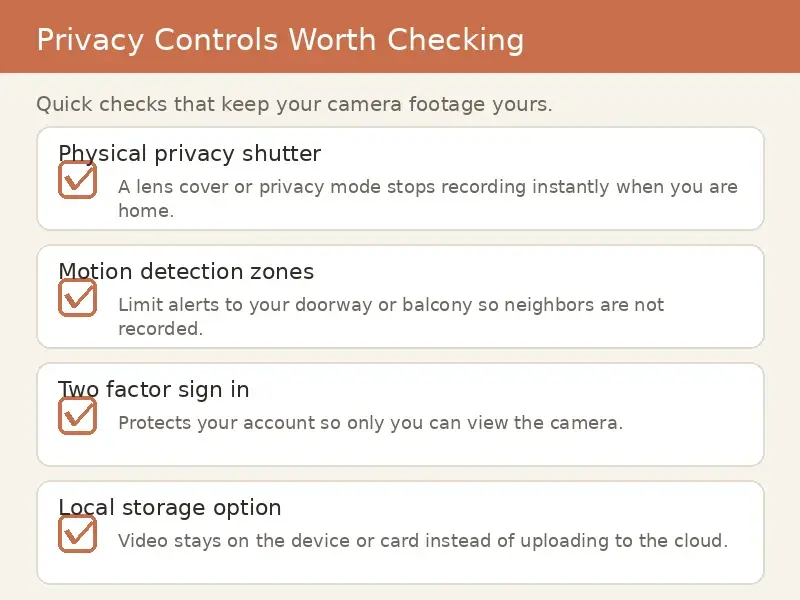
The Arlo Essential Indoor 2nd Gen earns its place with one feature nobody else here has: an automated privacy shield, a physical cover that slides over the lens. In a shared apartment, that visible cover is the difference between a camera your roommates tolerate and one they resent. It records in 2K with 2-way audio, color night vision, and a spotlight, and the Arlo app is well regarded.
Now the subscription math, because it dominates this camera's value. Arlo Secure costs $9.99 per month for a single camera or $19.99 per month unlimited. Without a plan, you get live view only: no recording, no smart alerts. That makes the true first-year cost roughly $120 in subscription fees before the hardware price, which we did not capture at research time. For a camera marketed at a budget price point, that math has to be front and center.
Buyer reviews praise the privacy shield and video quality. Complaints include notification delays of 3 to 10 seconds from cloud processing and occasional connectivity drops needing reboots. The review base is thin at 189 ratings, above our 100-review bar but small enough to read cautiously. Shelf placement means zero mounting and zero drilling, and the privacy shield builds the roommate trust that makes an indoor camera workable in a shared lease.
Check the current price on Amazon
The Subscription Trap: What Each Camera Really Costs
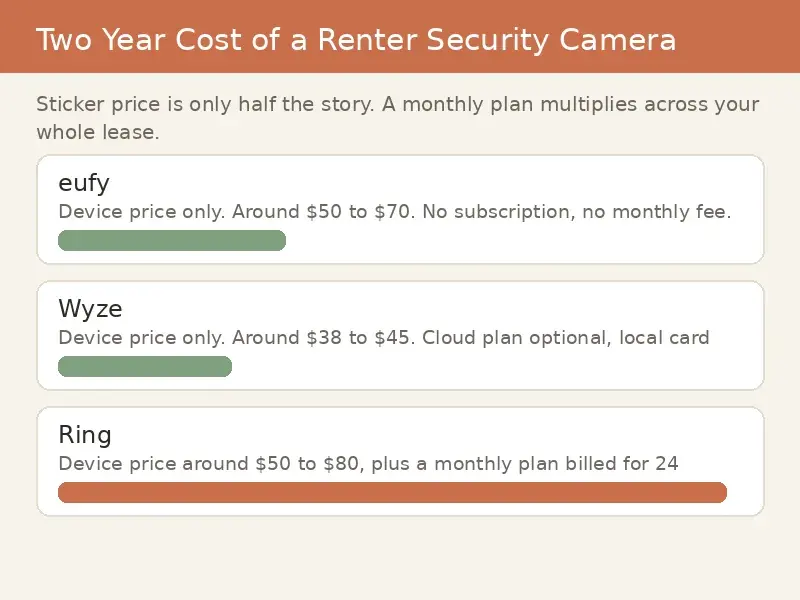
Why does a $40 camera sometimes cost $160 a year? Because most brands split the product in two: the hardware you buy once, and the recording service you rent forever. A security camera that cannot record is a live-view toy, so the honest price of any camera is hardware plus the plan required to save footage.
Ranked by true first-year cost, from the numbers we saw: the Tapo C120 costs about $40 total because local microSD recording is free. The Tapo C210 costs about $65 total for the same reason. The Reolink Argus 3 Pro costs about $119 total with free local recording. The Blink Mini 2 costs about $115 in year one once you add the $5 monthly plan its cloud clips require. The Nest Cam costs about $180 on its free 3-hour tier or about $276 with Nest Aware at $8 monthly. The Arlo Essential Indoor costs about $120 per year in Arlo Secure fees alone, before hardware, because without the plan it does not record at all.
The pattern is clear: cameras with free local storage (Tapo, Reolink) are the cheapest honest buys for renters, while the big-brand ecosystems (Blink, Arlo, Nest) monetize through subscriptions. Decide which model you are buying into before you fall for a low hardware price.
Should You Get a Plug-In or Battery Camera for an Apartment?
Choose based on your outlets, not the marketing. Plug-in cameras like the Tapo C210, Tapo C120, Blink Mini 2, and Arlo Essential never need charging and cost less, but every one of them is tethered to an outlet, which decides where it can watch. In older apartments with few outlets, that constraint is real: plan your camera positions around outlet locations before you buy.
Battery cameras like the Reolink Argus 3 Pro and Nest Cam go anywhere: balcony railings, entryway shelves, spots with no outlet within reach. The trade is charging duty and honesty about battery claims. Marketing battery life assumes quiet scenes; owners report the Nest Cam lasting around 4 weeks in high-traffic spots versus around 4 months in quiet ones. If your camera watches a busy hallway, expect the low end of any battery claim. A simple rule: plug-in for rooms with outlets, battery for everywhere else.
Why Does My Camera Go Blind at Night Through a Window?
Because its own infrared light bounces off the glass straight back into the lens. This is the single most common apartment camera failure: by day the window view works fine, but at night the IR LEDs fire, the glass reflects them, and you get a pale glare with a visible ring where your footage should be. Double-glazed windows make it worse.
The fix is verified and simple. First, turn off the camera's infrared night vision in its settings; the camera still records, it just stops firing the IR LEDs that cause the glare. Camera guides like this night-vision troubleshooting walkthrough confirm this is the single most effective change for window shooting. Second, press the lens as close to the glass as possible, using a rubber mount or a dark cloth ring to block reflections, and keep the glass clean on both sides. Third, give the camera real light to work with: a porch light, a hallway light, or a motion-activated light outside lets the camera record in color night mode without infrared at all. Angle the camera slightly rather than dead straight, since a tilted shot returns less reflection. If none of that satisfies you, the real answer is a camera mounted outside the glass, which is exactly what the battery picks in this guide are for.
Is It Legal to Record Audio in Your Apartment?
Every camera in this guide has a microphone, and that creates a legal line most camera guides never mention. About a dozen US states require all-party consent for audio recording, commonly cited ones include California, Florida, Illinois, Maryland, Massachusetts, Pennsylvania, and Washington, though exact lists vary by source. Recording audio of someone who has not consented in those states can be a crime.
We are not lawyers and this is not legal advice. Check your own state's statute before you enable audio recording, especially in shared spaces or if the camera can hear neighbors or visitors. The safe default in any state you are unsure about: disable the microphone in the camera's settings and record video only. Video of your own living space is a different matter from audio, but the microphone is where renters get surprised, so treat it as guilty until proven innocent.
Do You Need Landlord Permission for a Security Camera?
For the cameras in this guide, usually not for the camera itself, since nothing is drilled or altered. But three situations do need a conversation. First, cameras facing shared hallways or pointing at a neighbor's door: many leases restrict recording common areas, and a hallway-facing camera can create real conflict with neighbors. Point your cameras at areas you control: your rooms, your balcony, your entryway. Second, cameras mounted in shared hallways face theft risk; a camera a stranger can reach is a camera a stranger can take, so keep cameras inside your unit or in spots only you access. Third, some leases have explicit surveillance clauses, so skim yours before you buy. When in doubt, a short written note to the landlord describing a no-drill indoor camera costs nothing and prevents everything.
Will These Cameras Work on Apartment Wi-Fi?
Mostly yes, with one planning step. Several picks here, including the Tapo C210 and Blink Mini 2, connect on 2.4GHz Wi-Fi only. In an apartment building with dozens of competing networks, 2.4GHz is the congested band: expect slower live views and occasional drops during peak hours. The Reolink Argus 3 Pro supports both 2.4 and 5GHz, which helps if your router offers 5GHz.
Two practical notes. If your building provides the Wi-Fi, check whether its captive portal or device isolation blocks smart cameras; some landlord networks do, and a cheap travel router of your own can solve it. And place cameras within reasonable range of the router: a camera at the far end of a long apartment on a congested band is the classic recipe for the "camera offline" notification at 2 a.m.
Move-Out Checklist: Leaving With Your Deposit and Your Footage
When the lease ends, the camera has to disappear without a trace and your data has to go with you. Remove every camera and mount: magnetic bases lift off, adhesive residue comes off with gentle heat and patience, and shelf-sitters just get picked up. Photograph each spot after removal so you have proof of condition.
Then handle the data. Download any footage you want to keep, because deleting the account can delete it. Remove the microSD cards from Tapo and Reolink cameras. Sign out of the camera apps, and either transfer or delete the cloud accounts for Blink, Arlo, and Nest so the next person cannot access your history. Factory-reset each camera before you pack it: a reset camera is a clean camera for the next apartment.
Final Verdict
For most renters, the TP-Link Tapo C120 is the pick: around $40, 2K video, free local recording, and a magnetic base with zero damage. Step up to the Tapo C210 at around $65 if you want one camera to cover a whole room. Choose the Reolink Argus 3 Pro for outlet-free spots like balconies, the Nest Cam if you live in Google Home, the Arlo Essential Indoor if roommates need the privacy shield, and the Blink Mini 2 if you want the simplest Alexa setup and accept its subscription. Whatever you choose, total the subscription before you buy, keep cameras pointed at space you control, and check your state's audio law. The cheapest camera is the one whose price you actually know.
Sources
Amazon product pages (TP-Link Tapo C210, Blink Mini 2, Arlo Essential Indoor 2nd Gen, Reolink Argus 3 Pro, Google Nest Cam battery, TP-Link Tapo C120): prices, ratings, and review counts as seen October 11, 2026. Some US listing data corroborated via Amazon UK, Amazon Canada, and retailer mirrors where the direct US render was unavailable.
TechGearLab: TP-Link Tapo C210 review (2K video assessment, night vision findings).
homecamcafe: TP-Link Tapo C210 review (motion tracking findings); Arlo camera window guide (infrared-off technique).
SlashGear: TP-Link Tapo C120 review (corded placement, setup findings).
howtogeek: TP-Link Tapo C120 pricing and Tapo Care plan details.
SafeWise: Reolink Argus 3 Pro review (mounting options, video quality); the-ambient.com: Reolink Argus 3 Pro review (strap and stand mounting).
TopTenReviews: Arlo Essential Indoor Camera review (rating share).
revellphotography: Arlo Secure subscription pricing (2026).
Tech Advisor: Reolink Argus 3 Pro US street price (older review).
buyvia: Google Nest Cam sale pricing (December 2025).
slickdeals, ozbargain: TP-Link Tapo C120 deal sightings (older posts).
writeupcafe: security camera night vision through glass (IR reflection cause and fixes).
ajax.systems, icameraplus.com: audio recording consent law guides (2026; state lists vary by source).
smarthomeexplorer.com: no-drill renter security camera guide (competitor gap analysis).
the-ambient.com, TechHive: Reolink mounting verification (stand bracket, loop strap, magnetic bracket).
Common questions
Which wireless security camera is best for renters overall?
The TP-Link Tapo C120 is the best value at around $40 with free local recording and a magnetic no-drill base. For whole-room coverage from one spot, the Tapo C210 adds pan and tilt at around $65. Google Home households should consider the Nest Cam, and shared apartments should look at the Arlo Essential Indoor for its privacy shield.
Do wireless security cameras need a subscription?
Some do and some do not, and that is the most important buying fact in this guide. Tapo cameras and the Reolink Argus 3 Pro record to microSD with zero fees. Blink, Arlo, and Nest require monthly plans for full recording: about $60, $120, and $96 per year respectively for a single camera.
Can I put a security camera in my apartment window?
Yes by day, but at night the camera's infrared light reflects off the glass and blinds it. Turn off infrared night vision in the camera's settings, press the lens close to the glass, and give the scene outside light to work with. For real night coverage, use a battery camera mounted outside the glass instead.
Will a security camera affect my security deposit?
Not if you follow this guide: every camera here installs with zero drilling and zero wiring changes. Magnetic bases, shelf placement, and strap mounts leave no trace. Photograph each mounting spot at move-out as proof, and keep the camera's original packaging for the move.
Is it legal to record audio with an indoor camera?
It depends on your state. About a dozen US states require all-party consent for audio recording, and every camera here has a microphone. Check your state's law before enabling audio, and when in doubt, disable the microphone and record video only. This is not legal advice.
More in Security Cameras
Sources
Sources for this guide are not listed yet.
This guide uses AI-assisted analysis of buyer reviews, manufacturer specifications, and public sources on Reddit, YouTube, and expert sites. A person reviews every guide before it is published. We do not test these tools hands-on. As an Amazon Associate we earn from qualifying purchases. Affiliate disclosure · How we research