Video Doorbells
Best No-Drill Video Doorbells for Renters: Damage-Free Picks That Protect Your Deposit

The RenterSmartHome Research Team, Research desk
Reviews analyzed 61,090 · 2 sources
As an Amazon Associate we earn from qualifying purchases. Affiliate disclosure
As an Amazon Associate, we earn from qualifying purchases. If you buy through links on this page, we may earn a commission at no extra cost to you.
Best No-Drill Video Doorbells for Renters: Damage-Free Picks That Protect Your Deposit
You rent your home, so your front door is not yours to modify. The lease bans holes and the landlord keeps the deposit. Yet packages disappear from shared hallways and you want to know who is knocking. A video doorbell solves this only if it goes up without a drill and comes down without a trace. This guide covers six battery-powered doorbells with adhesive, clamp, or peephole mounts, judged on damage-free mounting and 12-month lease cost.
Quick Answer: Our Top 2 Picks
Best overall for renters: Tapo D210 2K - no monthly fee, local storage, 3M adhesive in the box, chime included. Around $47.
Safest for apartments: Ring Peephole Cam 2K - replaces your existing peephole with zero new holes. Reinstall the old peephole at move-out.
Who This Guide Is For
This guide is for renters who want a video doorbell without risking their security deposit. If your lease bans drilling, you share a hallway, or you move yearly, these picks install without tools and come off clean at move-out.
That includes apartment dwellers worried about hallway theft, condo renters with HOA rules about exterior fixtures, and anyone who cannot run new wiring. If you own your home and can drill freely, a wired doorbell comparison will serve you better.
How No-Drill Mounting Actually Works
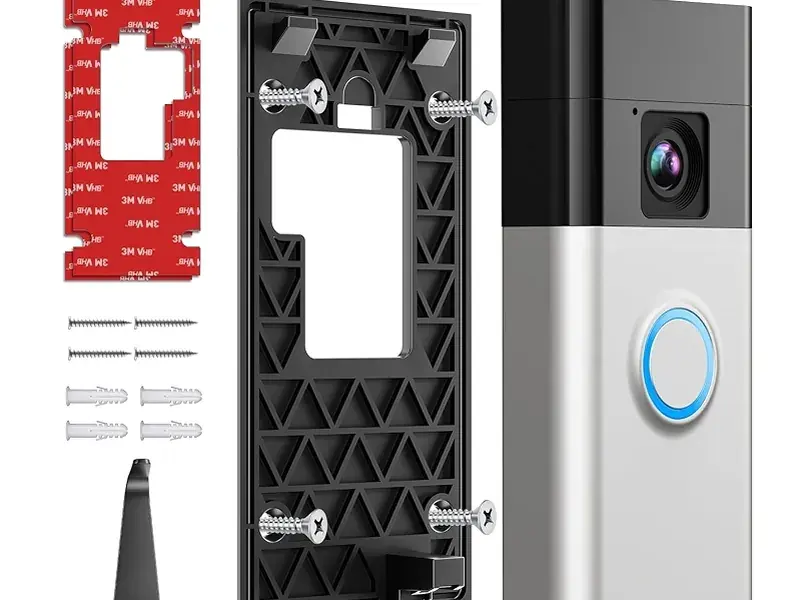
No-drill doorbells mount three ways. Adhesive pads (3M VHB or Command-style strips) stick the bracket to a smooth surface. Door-edge clamp brackets grip the door itself with no glue. Peephole cameras replace the existing peephole glass, the safest option for standard apartment doors.
Each method fits different doors, so pick the mount before you pick the doorbell:
Adhesive tape (3M VHB). Strongest stick-on option for smooth painted wood, metal, glass, and vinyl. Fails on textured surfaces; not recommended for steel doors or extreme heat. Allow a 24-hour cure.
Command-style strips. Peel off cleanly, the most deposit-safe adhesive. Lower holding power: suit light brackets and wedge plates, not a full doorbell on a hot day.
Door-edge clamp brackets. Hook over an inward-swinging door edge and tighten with no tools. Zero residue, zero holes, and anti-theft since a thief cannot pry it off. Check your door thickness.
Peephole replacement. The camera threads through your existing peephole hole; at move-out, unscrew it and put the original peephole back. Nothing about the door changes.
Once you pick a method, the 30-minute process is covered step by step in our guide on how to install a video doorbell in a rental.
How We Picked These Doorbells
We picked battery-powered doorbells that mount without screws and carry strong buyer-review records. We weighed mount options, subscription cost over a 12-month lease, chime availability, and review volume.
Specifically, we looked at:
No-drill mounting path. Adhesive-ready in the box or a known third-party no-drill bracket. Screw-only models did not make the list.
Battery power. No wiring, no electrician, no landlord sign-off on electrical work.
Review evidence. We read Amazon top-rated and 1-star reviews plus independent review sites and manufacturer specs. We did not lab-test these units.
Subscription honesty. We state which models work without a monthly plan, since cloud fees add up over a lease.
Price. All six sit between roughly $47 and $100 at the time of writing.
Prices change often; treat figures below as what we saw in October 2026 and check the current price before you buy.
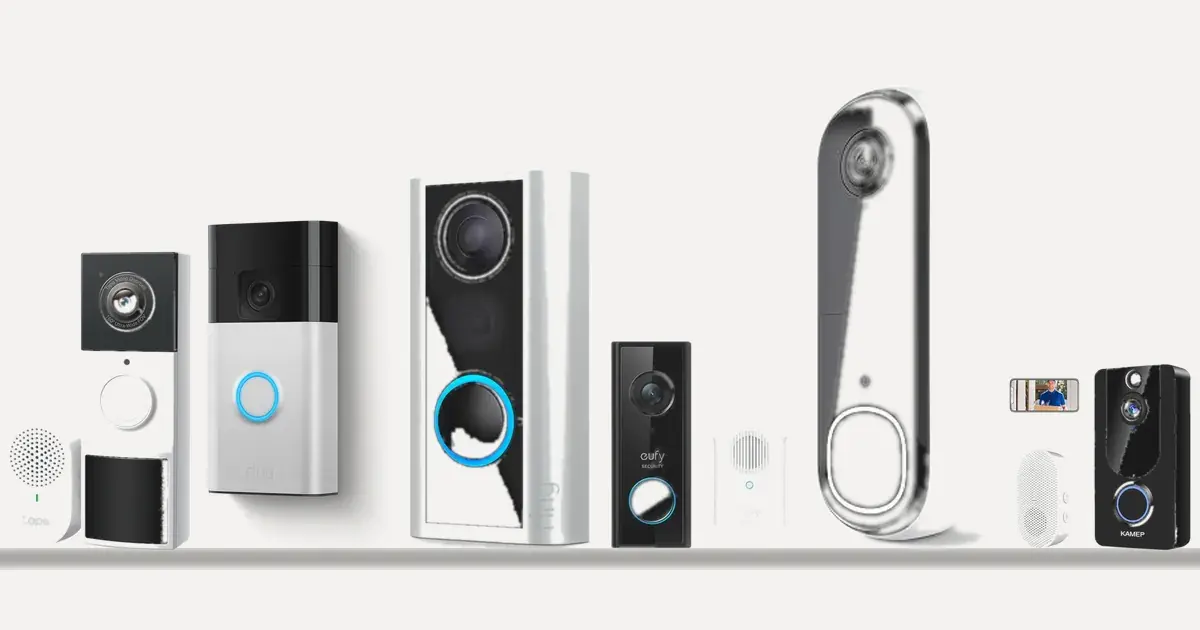
The 6 Best No-Drill Video Doorbells: Quick Comparison
For most renters, the Tapo D210 is the best no-drill video doorbell: no monthly fee, local storage, 3M adhesive in the box, and a chime included. If you have a peephole, the Ring Peephole Cam 2K is the safest swap. The table compares all six on what renters need.
Doorbell | No-drill mount | Power | Battery claim | Chime included? | Monthly fee needed? |
|---|---|---|---|---|---|
Tapo D210 2K | 3M adhesive in box | Battery | About 5 months reported | Yes | No (microSD) |
Ring Battery Doorbell | Third-party bracket | Battery | Varies by use | No | Yes (video storage) |
Ring Peephole Cam 2K | Peephole swap | Battery pack | Quick-release | No | Yes (video history) |
eufy C210 | Third-party adhesive bracket | Battery | 120 days | Yes (chime; card sold separately) | No |
Arlo 2K (2nd Gen) | Third-party bracket | Battery or wired | Varies | No | Yes (advanced features) |
KAMEP 2K | Adhesive pads | Battery | Not published | Yes | No |
Our pick
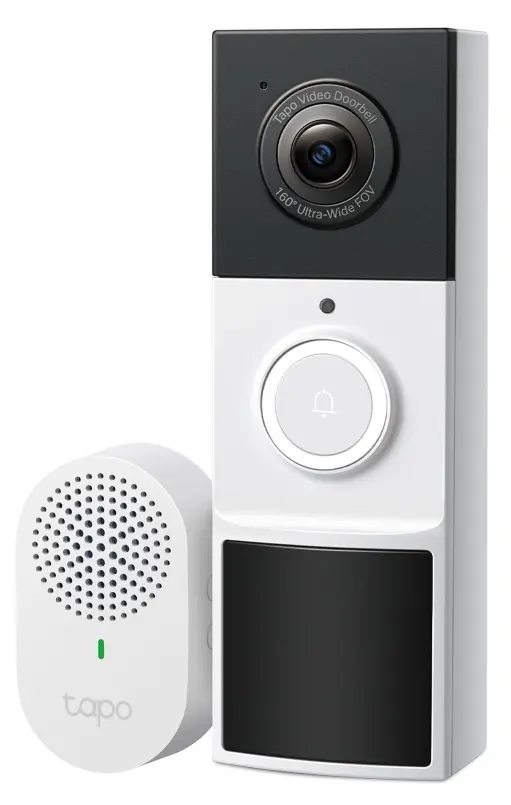
Tapo D210 2K Wireless Smart Video Doorbell with Chime
Best Overall for Renters
For most renters, the best no-drill video doorbell: no monthly fee, adhesive in the box, chime included.
Around $47
See detailsCheck price on AmazonBudget pick
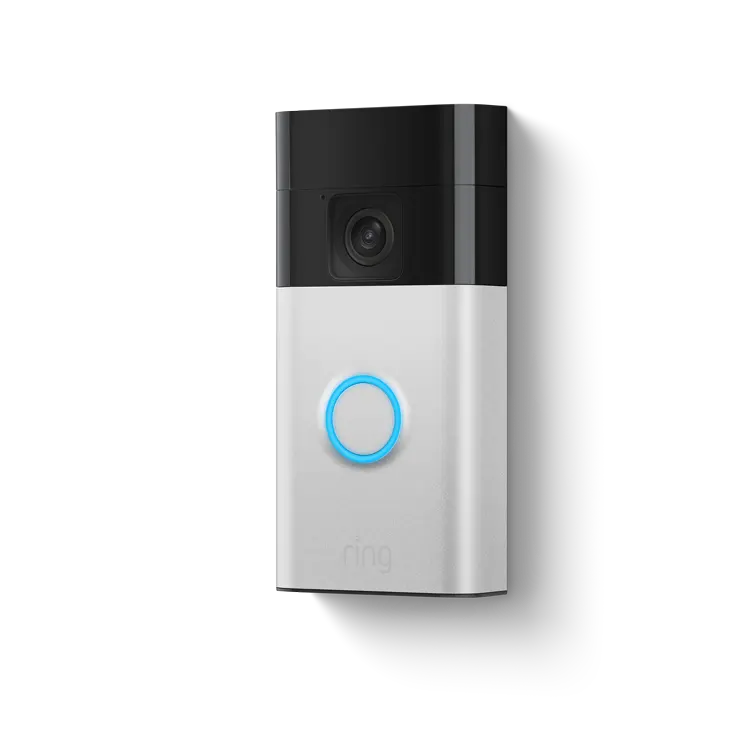
Ring Battery Doorbell (Newest Model)
Best for Alexa Households
The safe mainstream choice for Alexa households who want the most proven battery doorbell.
Around $99
See detailsCheck price on AmazonUpgrade pick
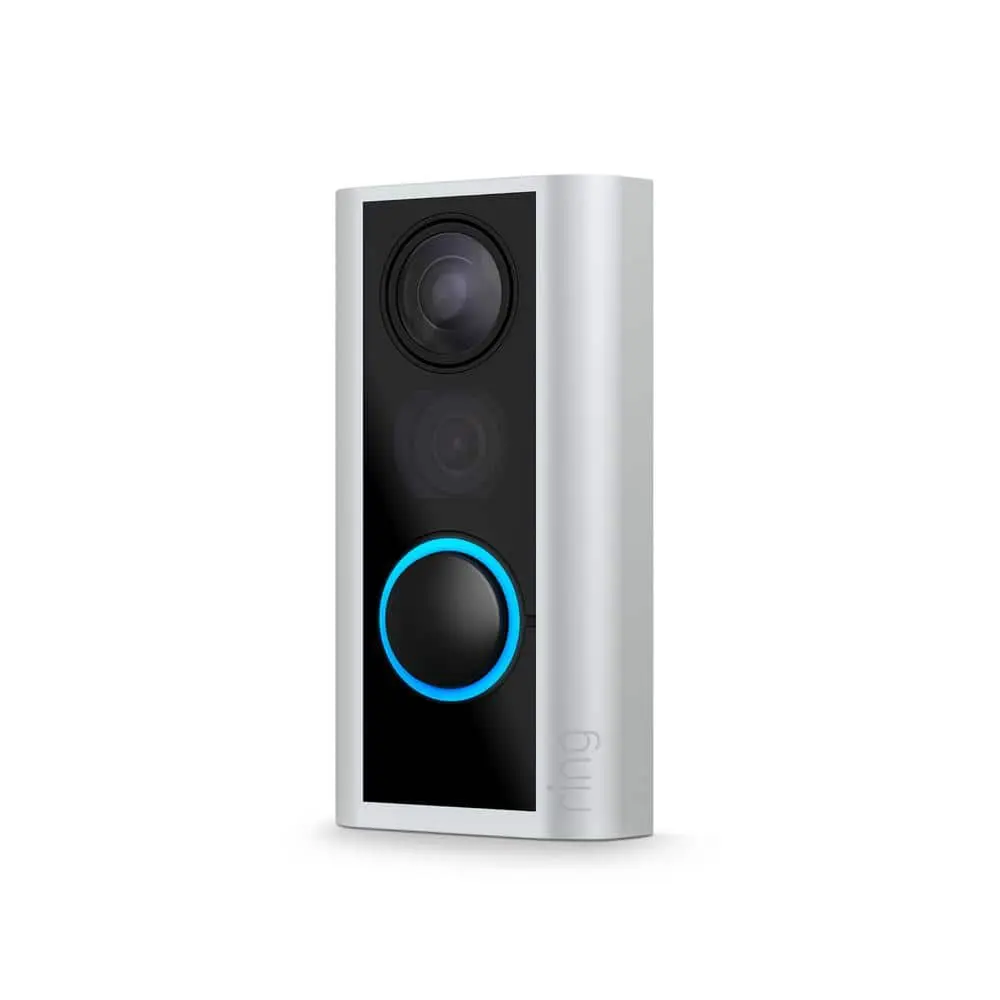
Ring Peephole Cam 2K (Newest Model)
Safest for Apartments with a Peephole
The safest install for apartments with a peephole: zero holes, zero brackets.
Around $99
See detailsCheck price on AmazonOur pick
Tapo D210 2K Wireless Smart Video Doorbell with Chime
Best Overall for Renters
Verdict. For most renters, the best no-drill video doorbell: no monthly fee, adhesive in the box, chime included.
Pros
- No monthly fee (local microSD storage up to 512GB)
- 3M adhesive included in the box
- Indoor chime included
- 5+ months battery per charge reported
- Around $47
Cons
- Whole unit must come off the wall to recharge
- Only 15-degree wedge included
- Some owners report washed-out daylight footage
Around $47
Check price on AmazonBudget pick
Ring Battery Doorbell (Newest Model)
Best for Alexa Households
Verdict. The safe mainstream choice for Alexa households who want the most proven battery doorbell.
Pros
- 43,000+ ratings at 4.6 stars
- 1440x1440 head-to-toe HD
- Accurate motion detection, few false alerts
- Clear two-way audio
Cons
- In-box bracket is screw-mount (needs third-party no-drill bracket)
- Ring Protect subscription required for video storage
- Battery drains faster in high-traffic hallways
Around $99
Check price on AmazonUpgrade pick
Ring Peephole Cam 2K (Newest Model)
Safest for Apartments with a Peephole
Verdict. The safest install for apartments with a peephole: zero holes, zero brackets.
Pros
- Zero adhesive, zero brackets, zero new holes
- 2K video with 6x digital zoom
- Knock detection plus motion alerts
- Quick-release rechargeable battery
Cons
- No optical peephole (must check the app)
- Ring Protect needed for cloud video history
- Only ~285 ratings, long-term data still thin
Around $99
Check price on Amazon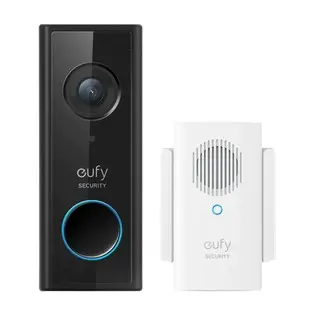
Also worth a look
eufy Security Video Doorbell C210 Kit
Best Subscription-Free Slim Pick
Verdict. A slim, subscription-free pick with 120-day battery for narrow doorframes.
Pros
- 120-day battery life
- Encrypted local storage, no monthly fee
- Slim profile fits narrow frames
- AI person detection
- 9,500+ ratings at 4.2 stars
Cons
- In-box bracket is screw-mount
- microSD card for chime sold separately
- Limited compatibility with older systems
Around $99
Check price on Amazon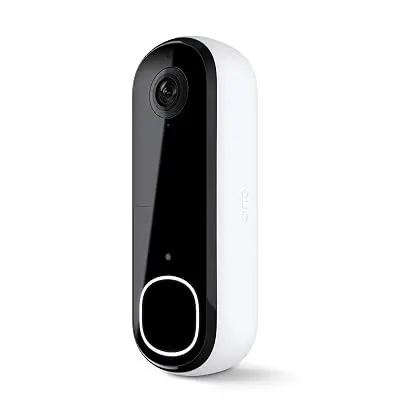
Also worth a look
Arlo Video Doorbell 2K (2nd Gen)
Best Smart Detection
Verdict. The smartest detection on this list, best for existing Arlo households.
Pros
- 2K HDR with 180-degree head-to-toe view
- AI separates people, vehicles, packages
- Works with Alexa, Apple Home, Google Home, SmartThings
- Integrated siren
Cons
- In-box mount is screw-based
- Arlo Secure subscription locks advanced detection
- Price not confirmed
Price not confirmed
Check price on Amazon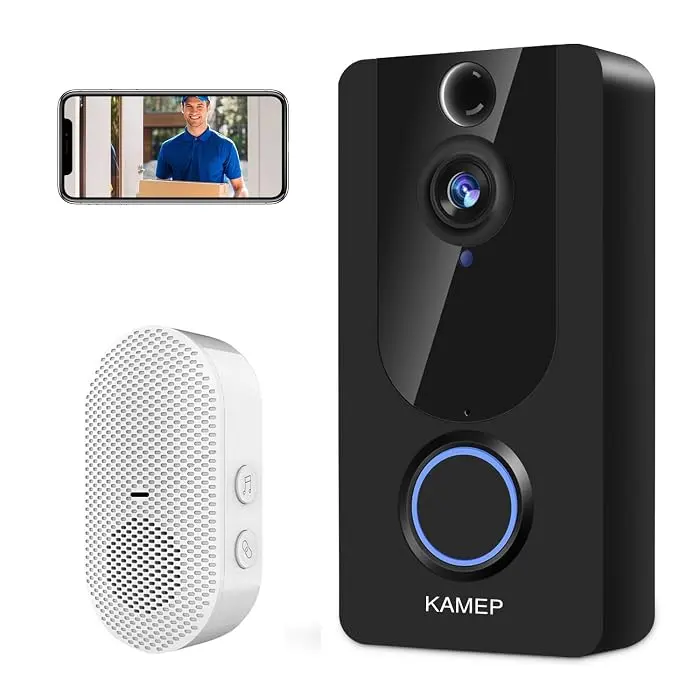
Also worth a look
KAMEP Wireless Video Doorbell Camera with Chime 2K
Best Budget No-Subscription Pick
Verdict. The budget no-subscription pick that covers the basics well.
Pros
- Adhesive pads for rent-friendly install
- No monthly fee (free cloud loop + microSD)
- Chime included
- Voice changer for privacy
- Around $68
Cons
- Smaller review record (~1,200 ratings)
- Battery drains quickly with heavy activity
- Motion detection can be slow to wake
Around $68
Check price on AmazonHow we picked
In total, we weighed 61,090 Amazon buyer ratings across the six finalists, then read the top-rated and most critical 1-star reviews for each model and cross-checked them against independent reviews and manufacturer specs.
In-Depth Reviews
Below are the six no-drill video doorbells worth considering as a renter in 2026, ordered by fit for a damage-free install. Each review draws on Amazon buyer reviews and manufacturer specs.
1. Tapo D210 2K Wireless Smart Video Doorbell with Chime - Best Overall for Renters
Best for: Budget-conscious renters who want zero ongoing fees and the smoothest app experience in this group.
The Tapo D210 ships with 3M adhesive in the box, so the mount goes up without a drill or a separate bracket purchase. Battery power makes the whole install tools-free.
Reviewers praise the Tapo app as unusually responsive for live view and recorded clips. Storage is local on a microSD card up to 512GB, so there is no monthly fee over a 12-month lease. Buyer reviews report five months or more of battery per charge, and the box includes an indoor chime. Full-color night vision with a motion-activated spotlight helps in dim hallways, and the Ring Call feature lets you answer the door like a phone call.
The downsides are real. The whole unit must come off the wall to recharge, which means pulling the adhesive mount each time unless you buy a spare back plate. Only a 15-degree wedge is included, and some owners report washed-out daylight footage and occasional delayed motion notifications.
For a renter, the math is hard to beat: no subscription, adhesive in the box, and a chime included at a price we saw around $47. Check the current price on Amazon.
2. Ring Battery Doorbell (Newest Model) - Best for Alexa Households
Best for: Renters already in the Alexa ecosystem who want the most proven battery doorbell on the market.
With over 43,000 Amazon ratings averaging 4.6 stars, this is the most reviewed pick on the list. The 1440x1440 head-to-toe HD frame shows the visitor's face and packages at their feet in one shot. Reviewers report accurate motion detection with few false alerts, clear two-way audio, and crisp color night video. Setup is easy and the battery means no wiring.
The renter catch: the in-box bracket mounts with screws, so pair it with a third-party peel-and-stick or door-edge bracket sold separately. The other ongoing cost is the Ring Protect subscription, required for video storage and package alerts, which adds up over a 12-month lease. A few reviewers note battery drains faster in high-traffic hallways.
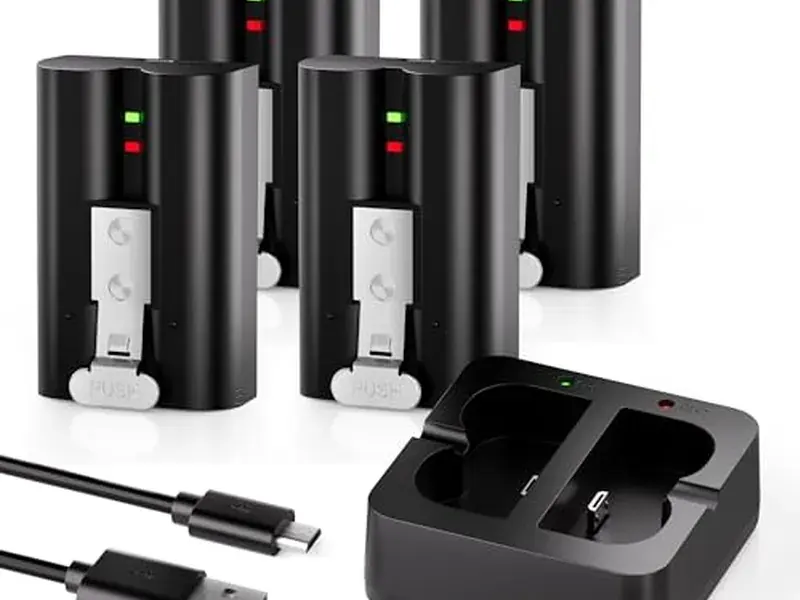
If you already run Alexa devices and want the doorbell most of your neighbors probably own, this is the safe mainstream choice. We saw it around $99. Check the current price on Amazon.
3. Ring Peephole Cam 2K (Newest Model) - Safest for Apartments with a Peephole
Best for: Apartment and condo renters with an existing peephole who want the most deposit-friendly option available.
This is the only pick that needs zero adhesive, zero brackets, and zero new holes. The camera threads through your existing peephole, and at move-out you reinstall the original peephole glass. For a standard apartment door, it is the safest install there is.
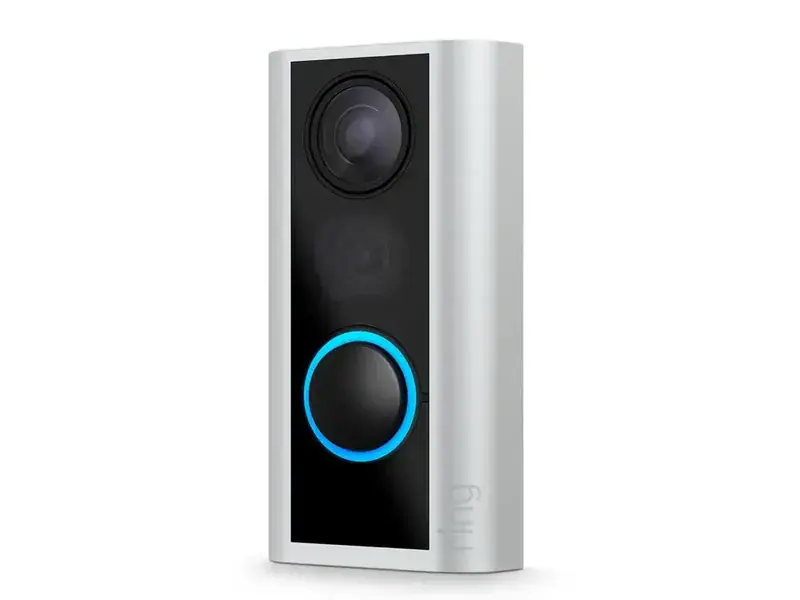
The newest model records in 2K with up to 6x digital zoom, includes knock detection plus motion alerts, and runs on a quick-release battery pack that recharges off the door. It was purpose-built for apartments and condos, and buyers like that there is nothing to stick, clamp, or align.
Two honest tradeoffs. First, the optical peephole is gone, so you check the app to see who is outside even when standing at the door. Second, cloud video history needs a Ring Protect subscription. Premium colors cost $10 extra, and with only around 285 ratings at 4.1 stars, long-term reliability reports are still thin.
If your door has a peephole and your building allows doorbell cameras, start here. We saw it around $99, with a deal price near $50 spotted in early October 2026. Check the current price on Amazon.
4. eufy Security Video Doorbell C210 (Battery-Powered) Kit - Best Subscription-Free Slim Pick
Best for: Renters who want a slim, subscription-free battery doorbell that fits narrow doorframes.
The eufy C210 pairs a 120-day battery with encrypted local storage and no monthly fee, so the total cost over a 12-month lease is just the purchase price. The slim profile fits narrow doorframes, and the 1080p camera with WDR and a 4:3 head-to-toe view covers faces and packages. AI person detection keeps alerts focused on people, not hallway traffic.
The in-box bracket mounts with screws, so like the Ring you will need a third-party adhesive bracket for a truly drill-free install. One more detail to budget for: local storage lives on a microSD card inside the Wi-Fi chime, and that card is sold separately. Compatibility with older home systems is limited, which rarely matters in rentals.
With over 9,500 ratings at 4.2 stars, the review record is solid. We saw it around $99. Check the current price on Amazon.
5. Arlo Video Doorbell 2K (2nd Gen) - Best Smart Detection
Best for: Renters already in the Arlo ecosystem who want the smartest detection on this list.
The Arlo 2K (2nd Gen) records 2K HDR video with a 180-degree head-to-toe field of view, and its AI detection separates people, vehicles, and packages to cut false alerts in busy hallways. It runs on a rechargeable battery with no wiring, works with Alexa, Apple Home, Google Home, and SmartThings, and an integrated siren adds a deterrent for ground-floor units.
The renter friction matches the Ring and eufy: the in-box mount is screw-based, so plan on a third-party adhesive bracket. The bigger question is the Arlo Secure subscription, which locks advanced detection after the trial. Factor that into your lease-length math, since the doorbell's best features go away without it.
At 4.1 stars across about 1,770 ratings, owners are generally satisfied when they go in with eyes open about the subscription. Price was not confirmed at the time of writing. Check the current price on Amazon.
6. KAMEP Wireless Video Doorbell Camera with Chime (2K HD) - Best Budget No-Subscription Pick
Best for: Renters on a budget who want no subscription and privacy-friendly features.
The KAMEP is the value sleeper here. The listing explicitly calls out adhesive pads for rent-friendly installation, and the battery plus plug-in chime mean no wiring and no holes. There is no monthly fee: storage runs on free cloud loop plus a microSD slot. The chime is included, night vision earns good marks from owners, and a voice changer adds a privacy touch when answering the door.
The review record (4.4 stars, about 1,200 ratings) is smaller than the big brands, and 1- and 2-star reviews flag two patterns: battery drains quickly with heavy activity, and motion detection can be slow to wake. In a quiet hallway these matter less; on a busy floor they matter more.
At around $68, it is one of the cheapest no-subscription doorbells with a chime. Check the current price on Amazon.
How to Choose the Right No-Drill Video Doorbell
Start with your door, not the doorbell. Smooth surfaces suit adhesive mounts; steel or textured doors need a clamp or peephole model. Then weigh subscription cost against your lease length, and check whether you need a chime.
Work through these decisions in order:
Your door type. Painted wood or smooth composite suits adhesive mounts. Steel or textured finishes need a clamp bracket or a peephole camera.
Your lease length. A subscription adds up over 12 months. If you move yearly, a subscription-free model (Tapo D210, eufy C210, KAMEP) keeps costs flat.
Shared hallway vs. private entry. Busy hallways drain batteries faster and trigger more alerts, so favor person detection or motion zones. A door-edge clamp bracket doubles as an anti-theft mount.
Chime needs. Apartments rarely have wired chimes. Pick a model with a plug-in chime in the box (Tapo D210, eufy C210, KAMEP) to hear the bell from the bedroom.
Smart home fit. Alexa households lean Ring; Google and Apple Home users should check Arlo or Tapo compatibility first.
Installation Tips for Renters
Clean the mounting surface with rubbing alcohol, test your Wi-Fi signal at the door before you stick anything, and let adhesive mounts cure for 24 hours. Mount the unit about 48 inches high for a clear view of faces and packages.
A few more renter-specific tips:
Charge the battery fully before mounting. You do not want to pull the unit down on day two because it arrived half-charged.
Use the included cleaning wipes. A dusty door is the number one reason stick-on mounts fail, per buyer reviews.
Add an angle wedge on tight hallways. A 15- or 30-degree wedge points the camera down the hall instead of at the opposite wall.
Tell your neighbors. A quick heads-up avoids hallway awkwardness. Enable privacy zones to black out a neighbor's doorway if the camera sees it.
For the full step-by-step process, see our guide on how to install a video doorbell in a rental without drilling.
Check Your Lease Before You Install
Read your lease for clauses about alterations, adhesives, and exterior fixtures before you buy anything. Ask your landlord in writing whether a no-drill doorbell is allowed, and check building rules about cameras in shared hallways, which some buildings restrict.
Look for language about "alterations," "adhesives," and "exterior fixtures." Some leases ban even adhesive products, and a few buildings restrict hallway cameras. Describe your exact product and mount method to your landlord and get a yes in writing. This is general guidance, not legal advice.
Removing It at Move-Out: Protect Your Deposit
Removal mirrors the install. Warm VHB adhesive with a hair dryer and peel slowly, stretch Command strips straight down, lift clamp brackets off, or unscrew the peephole camera and put the original peephole back. Clean residue with rubbing alcohol before your move-out inspection.
Step by step:
VHB adhesive mounts: Warm the adhesive with a hair dryer for 30 to 60 seconds, then peel the bracket off slowly at a low angle. Do not yank.
Command-style strips: Pull the tab straight down, stretching slowly. Never pull outward.
Clamp brackets: Loosen the bracket and lift it off the door edge. There is nothing to clean.
Peephole cameras: Unscrew the unit and thread your original peephole glass back in. Keep the original peephole in a labeled bag from day one.
Final cleanup: Wipe the door with rubbing alcohol to remove any adhesive haze, and photograph the clean door for your move-out records.
If you need the full removal workflow with residue cleanup steps, follow our no-drill install guide for renters.
FAQs
Can renters install a video doorbell without drilling?
Yes. Battery-powered doorbells mount with 3M adhesive pads, door-edge clamp brackets, or by replacing your existing peephole, and none drill holes. Pick the mount for your door: adhesive for smooth surfaces, clamps or peephole cameras for steel or textured doors.
Will a video doorbell damage my door?
Not with a true no-drill method. Clamp brackets and peephole cameras leave zero marks. Adhesive can leave residue, but warming it with a hair dryer and cleaning with rubbing alcohol removes it in most cases.
Do I need landlord permission for a video doorbell?
Check your lease first. Many allow small non-permanent additions, but some ban adhesives or exterior fixtures outright. Send your landlord a short written description of the product and mount method and get approval in writing.
Do video doorbells work on apartment doors?
Yes, with two caveats. Test your Wi-Fi signal at the door before mounting, since hallways and steel doors can weaken it. Shared hallways also mean more motion alerts and higher theft risk, so use motion zones and consider an anti-theft clamp bracket.
Do video doorbells need a subscription?
Not all of them. The Tapo D210, eufy C210, and KAMEP store video locally with no monthly fee. Ring and Arlo reserve video history and smarter alerts for their paid plans, so factor the ongoing cost in if you move yearly.
Final Verdict
For most renters, the Tapo D210 is the best no-drill video doorbell: no monthly fee, local storage, 3M adhesive in the box, and a chime included. If your door has a peephole, the Ring Peephole Cam 2K is the safest install. On a tight budget, the KAMEP covers the basics with no monthly fee. Whatever you choose, confirm the mount fits your door and get your landlord's okay in writing.
Common questions
Can renters install a video doorbell without drilling?
Yes. Battery-powered doorbells mount with 3M adhesive pads, door-edge clamp brackets, or by replacing your existing peephole, and none drill holes. Pick the mount for your door: adhesive for smooth surfaces, clamps or peephole cameras for steel or textured doors.
Will a video doorbell damage my door?
Not with a true no-drill method. Clamp brackets and peephole cameras leave zero marks. Adhesive can leave residue, but warming it with a hair dryer and cleaning with rubbing alcohol removes it in most cases.
Do I need landlord permission for a video doorbell?
Check your lease first. Many allow small non-permanent additions, but some ban adhesives or exterior fixtures outright. Send your landlord a short written description of the product and mount method and get approval in writing.
Do video doorbells work on apartment doors?
Yes, with two caveats. Test your Wi-Fi signal at the door before mounting, since hallways and steel doors can weaken it. Shared hallways also mean more motion alerts and higher theft risk, so use motion zones and consider an anti-theft clamp bracket.
Do video doorbells need a subscription?
Not all of them. The Tapo D210, eufy C210, and KAMEP store video locally with no monthly fee. Ring and Arlo reserve video history and smarter alerts for their paid plans, so factor the ongoing cost in if you move yearly.
Sources
This guide uses AI-assisted analysis of buyer reviews, manufacturer specifications, and public sources on Reddit, YouTube, and expert sites. A person reviews every guide before it is published. We do not test these tools hands-on. As an Amazon Associate we earn from qualifying purchases. Affiliate disclosure · How we research